

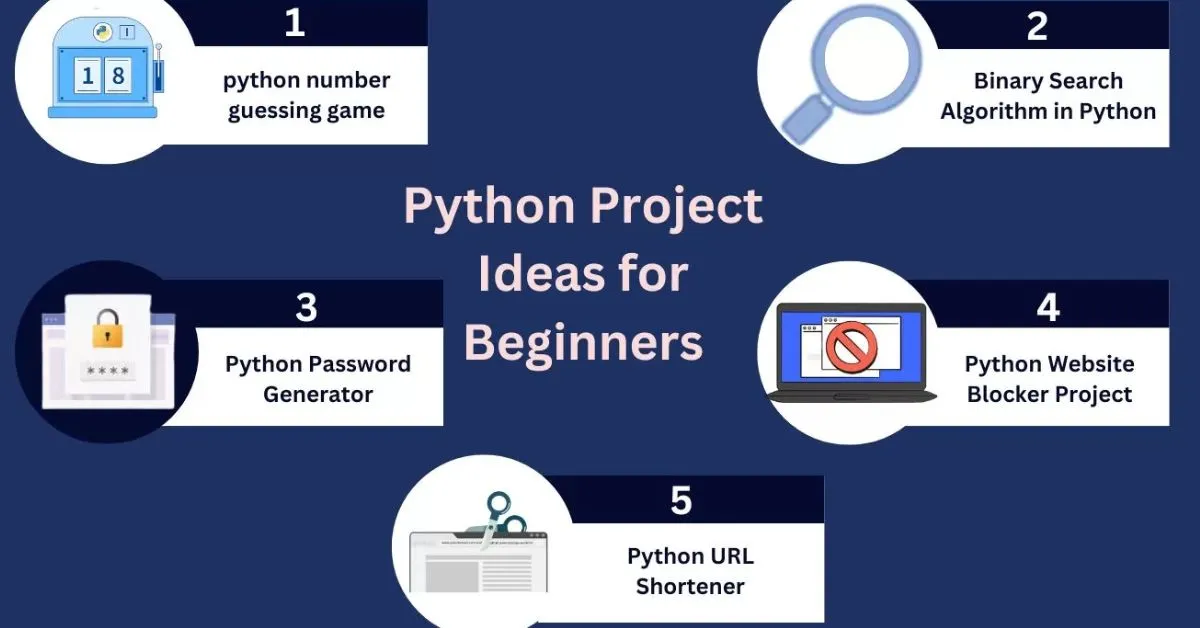
Python is among the most popular programming languages today because it is simple, readable, and powerful. The technology has become common in web development, artificial intelligence, data science, automation and software development. The programming language delivers beginner-friendly syntax, which provides simple reading while enabling professionals to build complex applications through its advanced features.
When learning Python, practice is just as important as understanding theory. Students learn about Python’s capabilities through reading concepts which demonstrate their abilities. Actual problem-solving requires students to develop their coding abilities through practice. Programming exercises help students to develop their critical thinking skills while solving problems and increasing their programming abilities.
Looking for various Python Project Ideas helps learners start practical applications and move on from learning mere basics. It encourages creativity, builds practical experience, and shows how complete programs are developed. Step by step, this process helps learners grow into confident and skilled Python developers.
Python Project Ideas for Beginners
Starting with Python Project Ideas at the beginner level is the best way to build a strong programming foundation. Instead of only learning theory, beginners should focus on creating small and practical projects that use basic concepts like variables, loops, conditions, and functions. These projects help in understanding how code works in real-world situations and improve logical thinking step by step.
1. Number Guessing Game
The Number Guessing Game functions as a basic Python project which requires players to guess a randomly selected number chosen by the program. The program gives players hints after each guess to assist them in finding the precise number. The program offers an interactive learning experience which helps users understand fundamental Python programming concepts.
How It Works
- The program randomly selects a number within a predefined range.
- The user is prompted to input their guess.
- The system checks the guessed number against the generated value.
- It provides feedback such as “Too High” or “Too Low” to guide the user.
- The process continues until the user correctly identifies the number.
Skills You Practice
- Understanding variables and different data types
- Handling user input and displaying results effectively
- Applying conditional statements for decision making
- Using loops to repeat actions within the program
- Utilizing random functions to generate unpredictable values
Source Code: Number Guessing Game
2. Simple Calculator
The Simple Calculator serves as a Python project which beginners can use to execute fundamental arithmetic functions that include addition, subtraction, multiplication, and division. The project provides an excellent opportunity to build essential Python skills through user input management and operator usage and function implementation.conditional logic.
How It Works
- The user is prompted to input two numerical values.
- The program then asks the user to choose an operation to perform.
- Based on the selected option, it executes the corresponding calculation.
- Finally, the computed result is displayed clearly to the user.
Skills You Practice
- Understanding numbers and arithmetic operators
- Handling user input efficiently
- Applying conditional statements for decision making
- Creating simple and reusable functions
- Managing basic program flow and execution
Source Code: Simple Calculator
3. Dice Rolling Simulator
The Dice Rolling Simulator is a beginner-friendly Python project that mimics the rolling of a dice. The program operates as a virtual dice game which selects a number from 1 to 6 at every user roll. The program provides an enjoyable method to understand programming randomness and user interaction.
How It Works
- The user is given the option to roll the dice.
- The program generates a random value within the range of 1 to 6.
- The generated result is displayed on the screen.
- The user can choose to roll again or exit the program.
Skills You Practice
- Utilizing random functions to simulate outcomes
- Handling user input effectively
- Applying loops to repeat actions
- Displaying results clearly to the user
- Understanding basic program logic and flow
Source Code: Dice Rolling Simulator
4. Rock, Paper, Scissors Game
The Rock, Paper, Scissors Game is a Python project which enables players to compete against the computer by selecting one of three available options: Rock, Paper, or Scissors. The computer makes a random choice, too, and the program decides the winner based on classic rules. The project enables learners to practice user input, randomness and logic flow through its implementation.
How It Works
- The user selects one option from Rock, Paper, or Scissors.
- The system randomly generates its own choice from the same options.
- Both selections are compared to determine the outcome.
- The result is displayed as
Skills You Practice
- Handling user input efficiently
- Using random functions to generate system choices
- Applying conditional statements for decision making
- Implementing game logic for outcome evaluation
- Using loops to enable repeated gameplay
Source Code: Rock, Paper, Scissors Game
5. Password Generator
The Password Generator functions as a Python project which generates secure random passwords that meet user-defined requirements for password length and required character types. The tool aids beginners in learning about Python by demonstrating how to create random elements and handle string data and process user interactions.
How It Works
- The user is asked to specify the desired password length.
- The program allows the user to choose character types such as letters, numbers, and symbols.
- Based on these selections, random characters are generated accordingly.
- All selected characters are combined to create a secure password.
- The final generated password is displayed to the user clearly.
Skills You Practice
- Working with strings and character manipulation
- Using random functions to generate secure values
- Handling user input effectively
- Applying conditional logic for customization options
- Combining letters, numbers, and symbols to create strong passwords
Source Code: Password Generator
6. Email Slicer
The Email Slicer is a beginner-friendly Python project that extracts useful parts of an email address, such as the username and domain name. This project helps learners understand how string manipulation works in real-world scenarios and improves their ability to process text data efficiently. It is simple to build and very useful for strengthening core Python concepts.
How It Works
- The user enters an email address (for example, user@example.com).
- The program separates the text before the “@” symbol as the username.
- It extracts the text after the “@” symbol as the domain name.
- The extracted username and domain are displayed clearly to the user.
Skills You Practice
- Working with string slicing and manipulation
- Understanding basic Python functions
- Handling user inputs
- Processing text data effectively
Source Code: Email Slicer
7. Word Guessing Game
The Word Guessing Game is a fun and interactive Python project where the player tries to guess a hidden word one letter at a time. Similar to a hangman-style game, it challenges the user to think logically while keeping track of correct and incorrect guesses. This project is great for practising string handling and building simple game logic.
How It Works
- The program selects a random word from a predefined list.
- The user guesses one letter at a time.
- If the guessed letter is correct, it is revealed in its correct position.
- If the guess is wrong, it is counted as an incorrect attempt.
- The game continues until the word is fully guessed or the maximum number of attempts is reached.
Skills You Practice
- Working with strings and loops
- Using conditional statements
- Handling user inputs
- Implementing basic game logic
- Source Code: Word Guessing Game
Python Project Ideas for Intermediate Level
1. Library Management System
The Library Management System is an intermediate-level Python project that helps organize and manage a library’s daily activities through digital solutions. The system maintains a database of book and member information, which enables it to monitor active book loans while automatically updating records during book issuance and return processes.
How It Works
- The program maintains a collection of books available in the library.
- Users can view the complete list of available books at any time.
- A user can borrow a book if it is currently available in the collection.
- When a borrowed book is returned, it is added back to the list.
- Users also have the option to donate new books to expand the collection.
Skills You Practice
- Understanding the basics of Object-Oriented Programming (OOP)
- Using lists to store and manage data efficiently
- Handling user input in an interactive way
- Creating and using functions and classes
- Building a simple real-world management system
Source Code: Library Management System
2. Weather App Using API
The Weather App software retrieves weather data for any city through its Python-based system. The application uses an API to access real-time weather data which includes temperature and humidity and wind speed and weather conditions.
How It Works
- The user is prompted to enter the name of a city.
- The program sends a request to a weather API to fetch current data.
- The received data is processed and extracted from the API response.
- The application then displays details such as temperature, humidity, wind speed, and weather conditions clearly to the user.
Skills You Practice
- Fetching and processing data from an API
- Working with JSON data structures in Python
- Handling user input and displaying results clearly
- Building simple and interactive applications
Source Code: Weather App Using API
3. URL Shortener
The URL Shortener project functions as a Python application that transforms lengthy URLs into brief, shareable links. Users can enter an extended URL to obtain a short link which will direct them back to the original URL.
How It Works
- The user is prompted to enter a long URL.
- The program generates a compact and shorter version of the provided link.
- The shortened URL redirects users back to the original address when accessed.
- These shortened links can be saved and easily shared with others.
Skills You Practice
- Working with URLs and string manipulation in Python
- Handling web requests and responses
- Building practical and useful Python applications
- Managing and storing data efficiently
Source Code: URL Shortener
Advanced Python Project Ideas
1. AI Chatbot
The AI Chatbot functions as a sophisticated Python application which employs natural language processing and machine learning technologies to create conversational experiences that resemble human interactions. The system can comprehend user inquiries, which leads to the delivery of smart answers.
How It Works
- The user is prompted to enter a message or question.
- The system processes the input text using language understanding techniques.
- A trained model analyzes the input and predicts the most appropriate response.
- The chatbot then displays the generated reply to the user.
- The interaction can continue, allowing an ongoing conversation in real time.
Skills You Practice
- Understanding Natural Language Processing concepts
- Integrating machine learning models into applications
- Performing text preprocessing and cleaning
- Building conversational AI-based systems
- Handling user input and generating meaningful responses
Source Code: AI Chatbot
2. Stock Price Predictor
The Stock Price Predictor is a Python project that forecasts future stock prices using historical data and machine learning models. It helps learners understand how to analyze time series data and train predictive models.
How It Works
- Historical stock price data is collected.
- The data is cleaned and preprocessed.
- A machine learning model is trained.
- The model predicts future stock prices.
- Predictions are displayed with charts.
Skills You Practice
- Handling and analyzing time series data
- Implementing machine learning models
- Preprocessing and feature scaling
- Visualizing data with charts
- Understanding financial forecasting
Source Code: Stock Price Predictor
Tips for Building Python Projects
These tips guide learners to plan, build, and improve their software project effectively. Whether someone is working on python projects for beginners or moving toward an advanced python project, following a structured approach helps in achieving better results and long-term growth.
Start With Clear Requirements: Before starting any software project, it is important to define the problem clearly. Identify features, expected outputs, and required user inputs so the development process stays focused, organized, and easy to manage in real-world scenarios.
Use Version Control: Using version control systems helps track changes, manage errors, and collaborate efficiently. It allows developers to experiment safely while maintaining a structured workflow for both small and real world applications.
Write Clean Code: Writing clean and readable code is essential for any software project. Use meaningful variable names, proper indentation, comments, and modular functions so that the code becomes easy to understand, maintain, and reuse in future projects.
Test and Debug Regularly: Testing small parts of your project frequently ensures fewer errors in the final output. Debugging step by step helps identify issues early and improves the overall quality of your program, especially when handling multiple user inputs.
Use Python Libraries Smartly: Leveraging built-in and external python libraries can simplify complex tasks and improve efficiency. Libraries help reduce development time and allow developers to focus more on logic and functionality rather than reinventing solutions.
Work on Real-World Use Cases: Try building projects that solve real world problems. This not only improves practical understanding but also helps in creating a strong portfolio that demonstrates real-life application of coding skills.
Understand Your Source Code: Instead of just copying source code, take time to understand how it works. This builds deeper knowledge and helps in modifying or scaling the project into an advanced Python project later.
Improve With Feedback: After completing a project, review your code, take feedback, and improve weak areas. Continuous improvement helps in mastering both Python projects for beginners and complex development tasks.
Stay Consistent and Keep Practicing: Consistency is key in programming. Regular practice through different types of projects strengthens logic building, improves coding speed, and builds confidence over time.
Building projects consistently not only improves technical skills but also helps in understanding how real applications are developed from scratch. By following these practices, learners can gradually move from beginner-level tasks to complex, real-world Python applications and grow into skilled developers.
Conclusion
These Python Project Ideas help learners move from beginner to advanced level by building practical, real-world applications. Starting with small projects improves confidence, while intermediate and advanced projects strengthen logical thinking, automation, APIs, machine learning, and software development skills.
By working consistently on Python Project Ideas, learners not only improve their coding abilities but also create a strong portfolio that can be useful for internships, freelance work, and future career opportunities.
FAQs
1. How do I choose good Python projects as a beginner?
Start with small projects like games, calculators, or to-do lists that match your skill level.
2. What are the best Python projects for beginners?
Try simple projects such as Number Guessing Game, Simple Calculator, Password Generator, or To-Do List.
3. How do Python projects improve coding skills?
Projects help apply theory, improve debugging, enhance problem-solving, and teach real-world software development.
4. How do I choose a project for my skill level?
Pick a project that stretches your abilities without being overwhelming.
5. How to move from beginner to intermediate projects?
Add features like file handling, APIs, or data management to beginner projects.
6. Real-world Python projects I can try?
Expense trackers, chatbots, weather apps, recommendation systems, and automation scripts.
7. How to choose final year Python projects?
Focus on projects that solve real problems and showcase technical skills.
8. How many projects should I build?
Start small and gradually increase complexity; aim for learning and skill-building, not just quantity.
9. Where to find Python project ideas?
Explore GitHub, coding communities, and tutorials; combine ideas creatively to build unique projects.